Category Archives: realtime

360° Audiovisual Performance at Art Tech Play March 2026

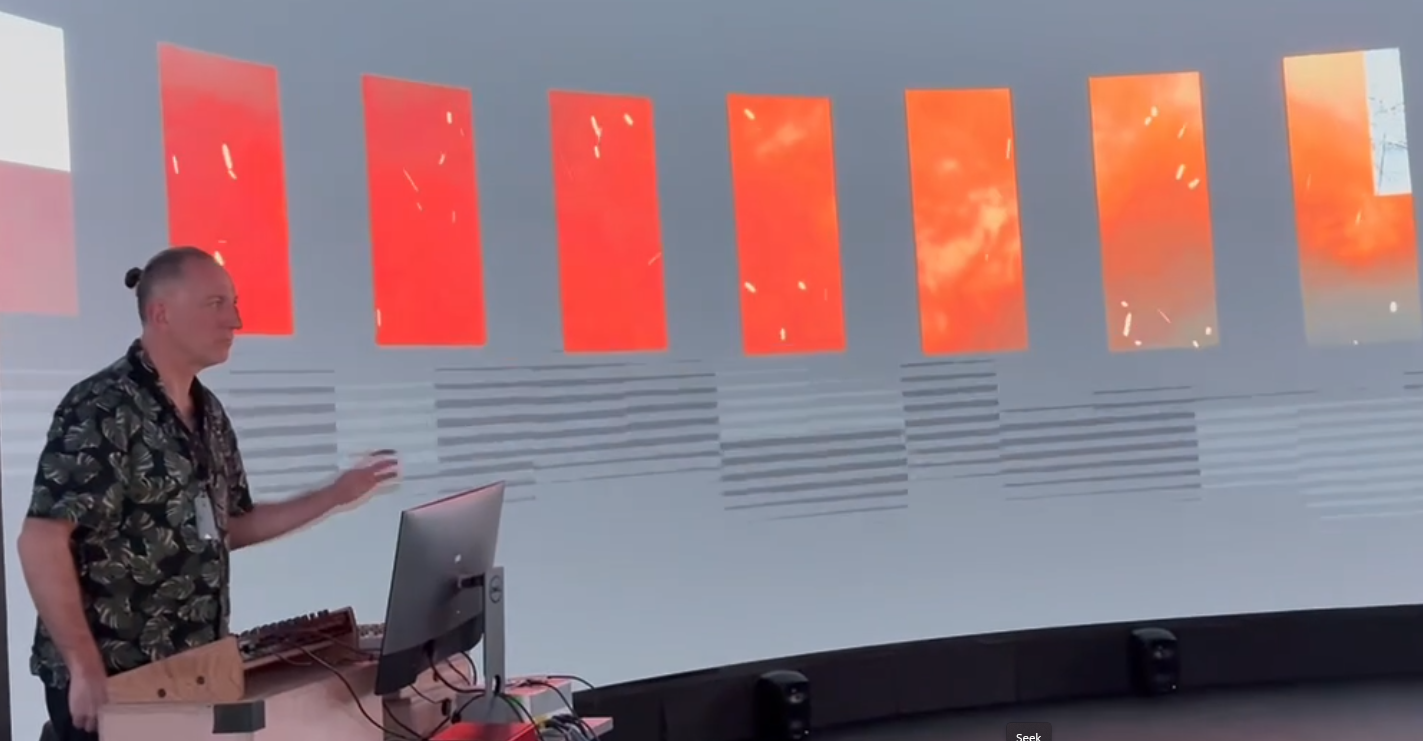
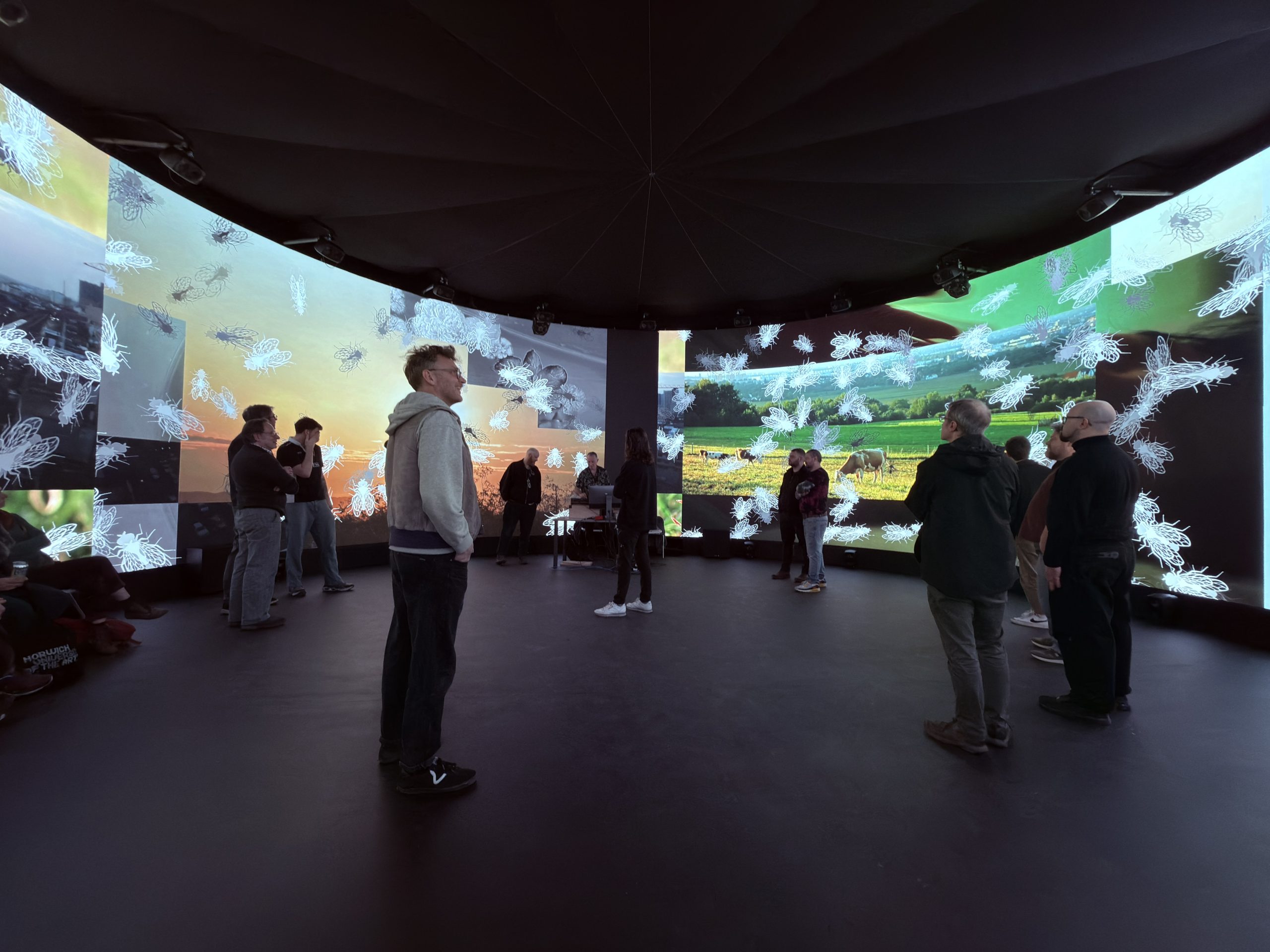
On March 18th 2026 I performed an audiovisual work which, although unnamed and effectively still work in progress, is the product of research and development over the previous 6 months or so. The performance took place within the 10-metre diameter, 4-metre high, circular LED screen at Norwich University of the Arts’ Immersive Visualisation and Simulation Lab, as part of the Collusion-led Art Tech Play programme.
Inspired by the classic quote from the Bhagavad Gita, Chapter 11, Verse 32, variously translated.

“I am Time, the mighty cause of world destruction, Who has come forth to annihilate the worlds.”

Translated by Winthrop Sergeant (1984)

The work explores themes of destruction, natural resilience, and human responsibility (or lack of it) and uses TouchDesigner to create visual outcomes that respond in real time to performed electronic music, using both instrument MIDI data and audio data as inputs. Although I have been experimenting with audiovisual performance for some time, this work is somewhat new territory for me as the content is largely videographic.

It is easier than ever to collect libraries of videos, many offered free by individual videographers. Some are highly composed, others more naturalistic. Increased ownership of high quality video cameras and the proliferation of drones are both leading to greater numbers of ‘citizen videographers’ producing compelling video content, for example https://www.pexels.com/.

The principal mechanic of the work is a noise grid used to mix different elements of video that change according to a weighting of the following factors:

  • Random/Noise
  • Musical time (i.e. changing every 2 bars)
  • Response to specific instrument data (e.g. a kick drum)

The graphic below demonstrates the relationship between the noise grid and resulting video collage.
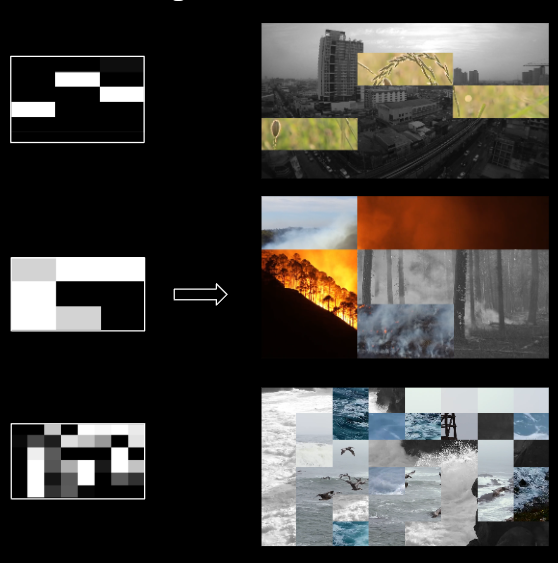
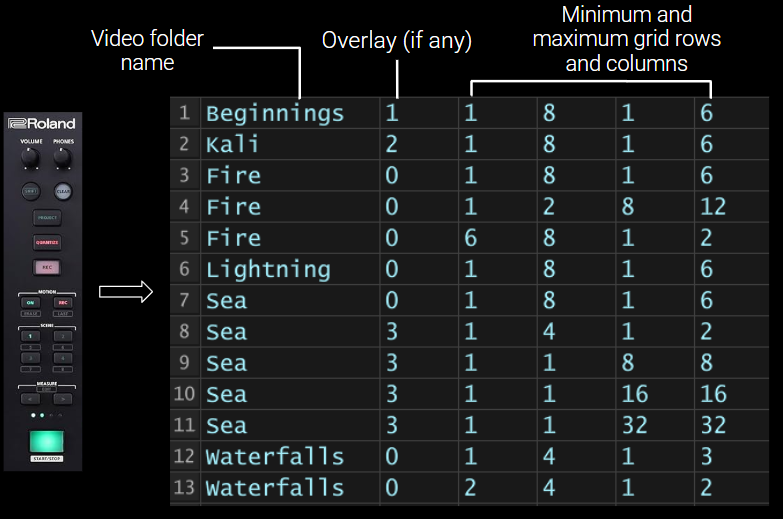
Content is organised into ‘scenes’ which map directly to scene buttons on the Roland MC-707 hardware used to drive the sound. Each scene has a number of parameters including:

  • A folder of video files to feed into the grid
  • A possible overlay layer to show on top of the grid
  • Parameters that relate to the randomisation of video grid divisions (i.e. a minimum and maximum number of columns and rows)

This graphic below demonstartes the relationship between the hardware scene buttons and the scene data stored in TouchDesigner.
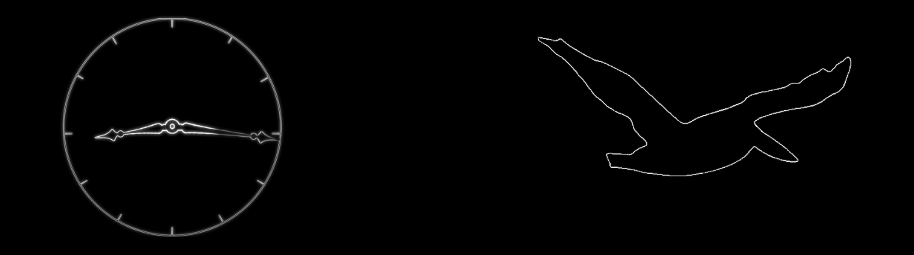
For some scenes, a monochrome overlay is shown on top of the video grid.
Incidental performative effects are mapped to audio parameters. For example, modulating the release of the snare envelope (how long or short the drum sounds) results in the video grid cells rotating to the left or right.

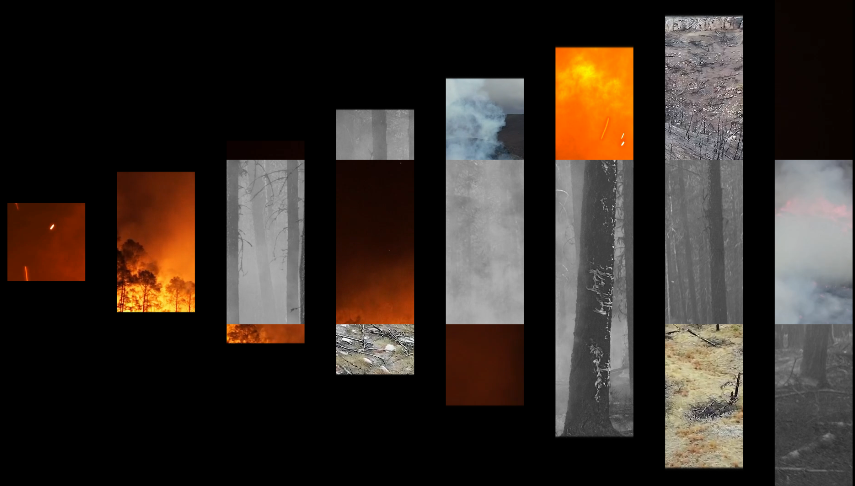
A classic perfomance effect within many electronic music genres is ‘beat repeat’ where a small sample of audio is repeated in time with the music. By using MIDI information to trigger audio beat repeats, a visual equivalent can also be triggered. In the case of a 16th note (semiquaver) beat repeat, a visual equivalent builds from left to right every semiquaver. Other repeat intervals are represented similarly, e.g., quaver, triplet etc.
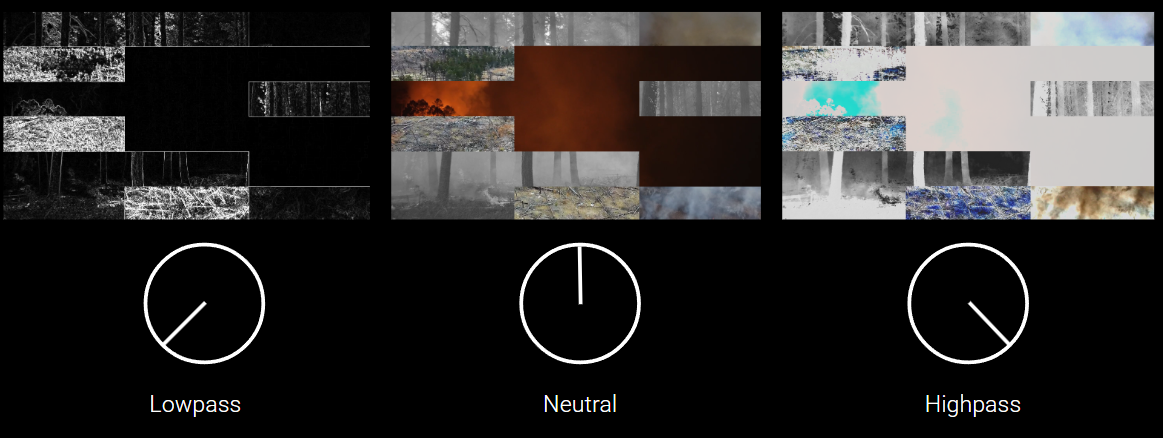
A master audio sweep filter, another common electronic music performance effect, is aligned with post visual filters i.e. final stages of the visual composition process. A black and white edge detection image is used for audio lowpass, high-brightness ‘blow out’ used for audio highpass.
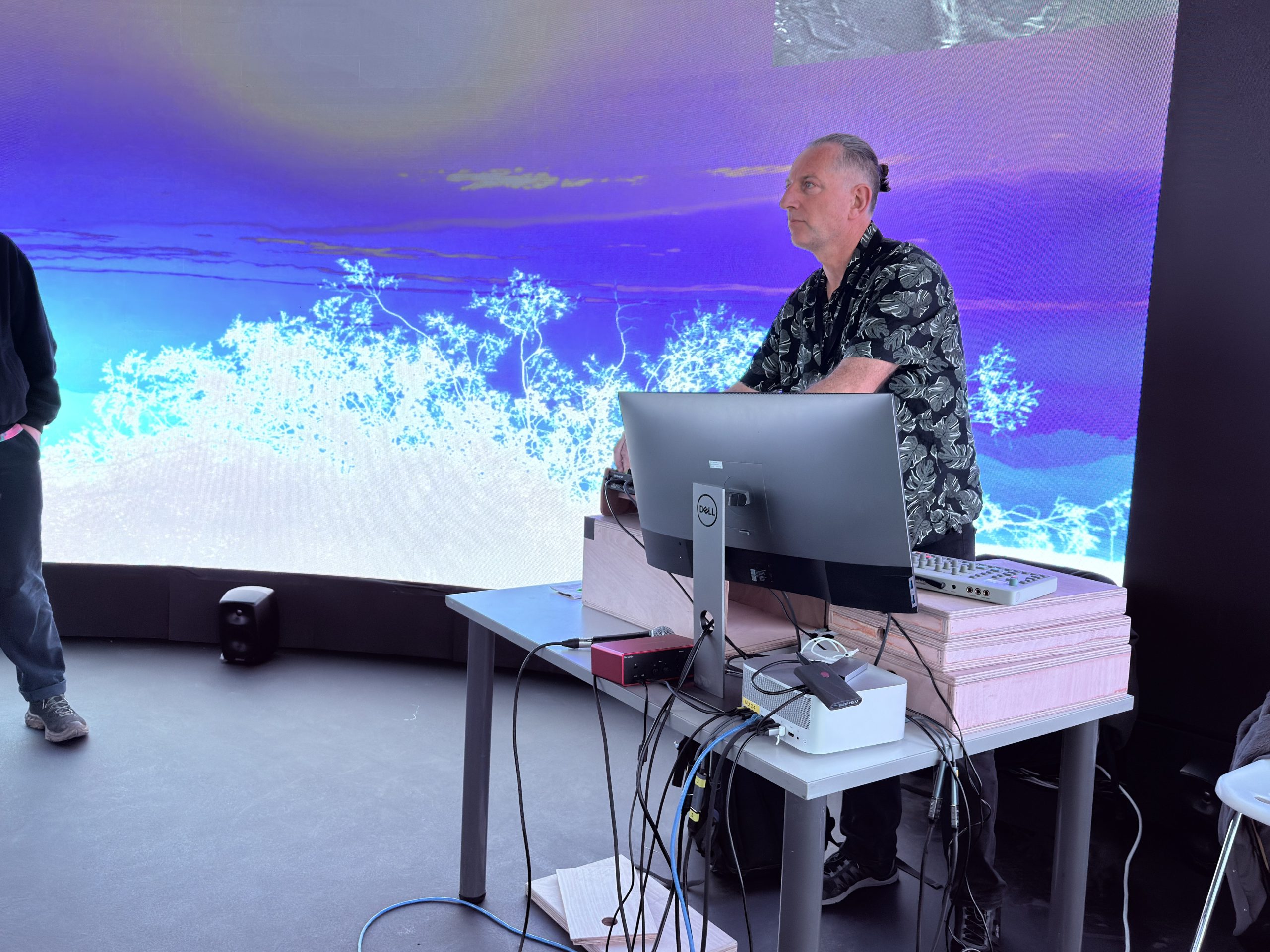
The work was adapted for the 360 screen relatively quickly, so it was very much a test. However, I did have chance to perform the piece twice, each time for around 15-20 minutes which gave me a good opportunity to test out the performance mappings.
Although I don’t have a decent video capture of the event, fellow artist @oculardelusion kindly posted a couple of videos on Instagram – https://www.instagram.com/p/DWFMEk8AqM9/

Feedback from the night was generally positive although I didn’t get chance to talk to that many people in depth as I was busy performing and also co-organising the night! One interesting comment I received was that it was notable and possibly unusual for an av performer to be looking at the large screen rather than the computer screen during a performance. In fact the computer screen had nothing on it! But more importantly, this felt like the right thing to do in a large scale improvised perormance situation.

The research leads me to consider a number of themes for potential future exploration.

Theme #1: Mapping and Translation Strategies

How do different MIDI-to-visual mapping approaches affect both performer agency and audience perception?  E.g., exploration of one-to-one mappings versus many-to-many relationships, examining when literal translation (note-to-shape) versus abstracted relationships work better, potentially developing a framework for “meaningful” versus “arbitrary” mappings based on practical investigation.

Theme #2: Collage Semantics & Meaning Making

What happens when found footage collage meets electronica’s functional dance context? E.g., whether narrative fragments emerge from triggering choices, investigate how juxtaposition of source materials creates meaning (or deliberately avoids it), as well as examining the politics of source material selection – whose images, from what contexts, and how does recontextualization operate?
Theme #3: Dramaturgical Structure

Electronica has inherited DJ culture’s arc of tension/release across a set. How do visuals participate in this dramaturgical structure? E.g., a taxonomy of visual intensities that parallel musical energy (breakdowns, drops, rollers) might be developed, and/or investigate whether visuals can work against the music’s energy to create productive friction.

Performable Landscapes 2025

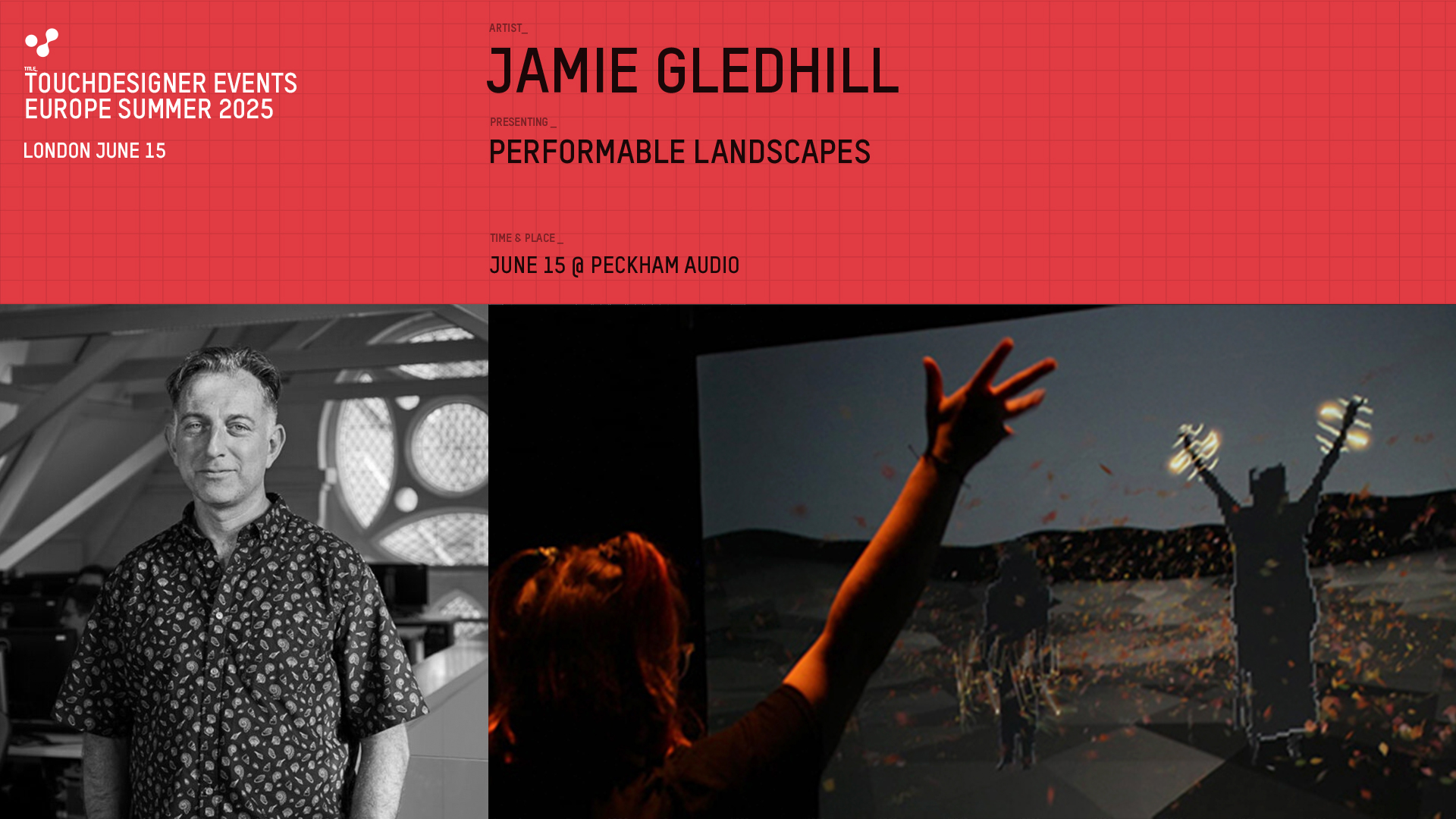
Recently I’ve been building on the performable landscapes techniques that I developed using TouchDesigner last year. In fact I gave a short presentation at a recent TD event in London, the first official event of its kind in the UK, which was fun, even if my presentation didn’t go quite to plan!

My motivation is to create a palette of landscapes that respond to musical information in realtime, i.e. MIDI and volume data, so that I can focus on playing the music and the visualisation just takes care of itself. Here are a few of the landscapes that have inspired me:

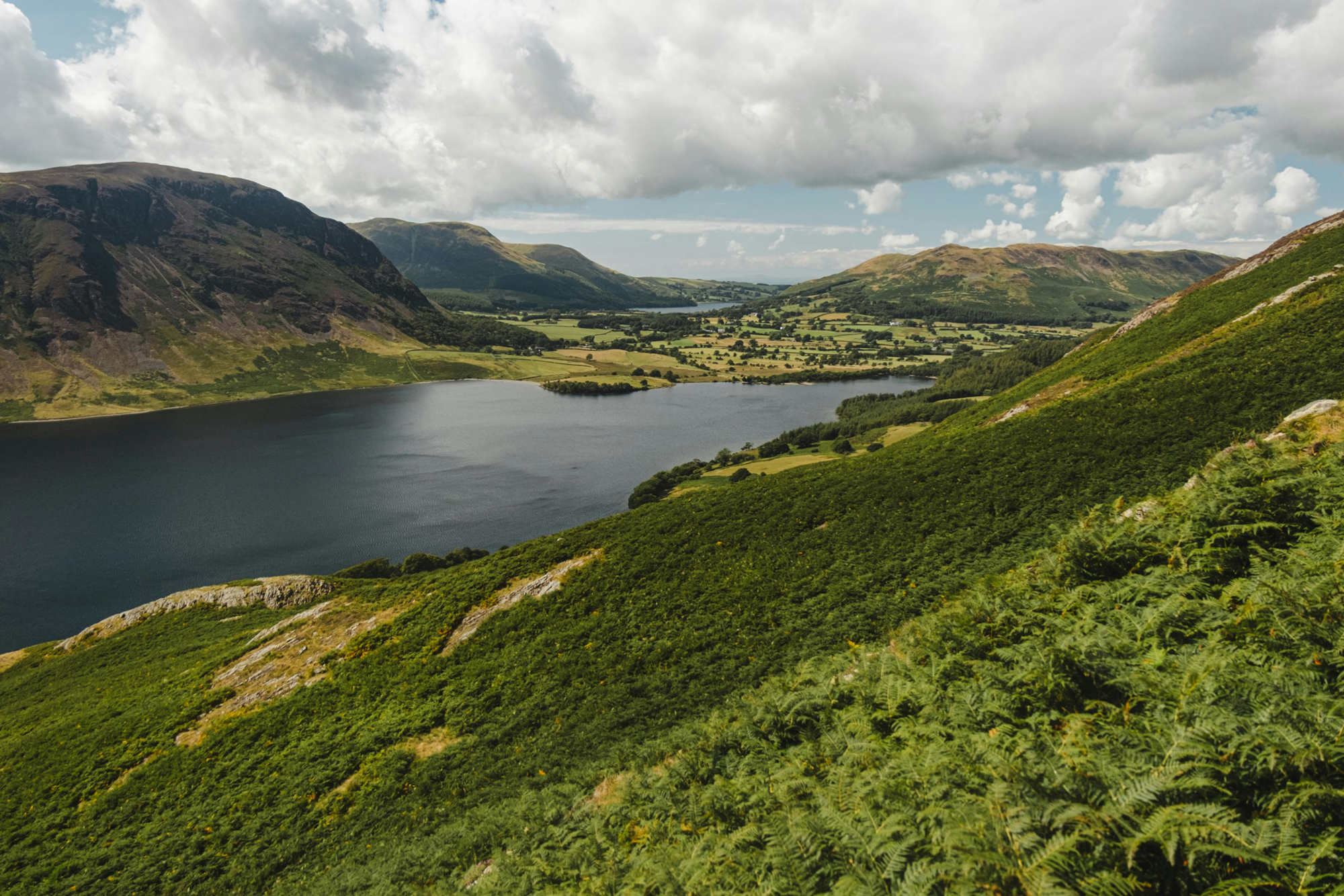
The English Lake District, a place close to my heart since childhood. Note the rounded and humped-back shapes of the hills in this view.

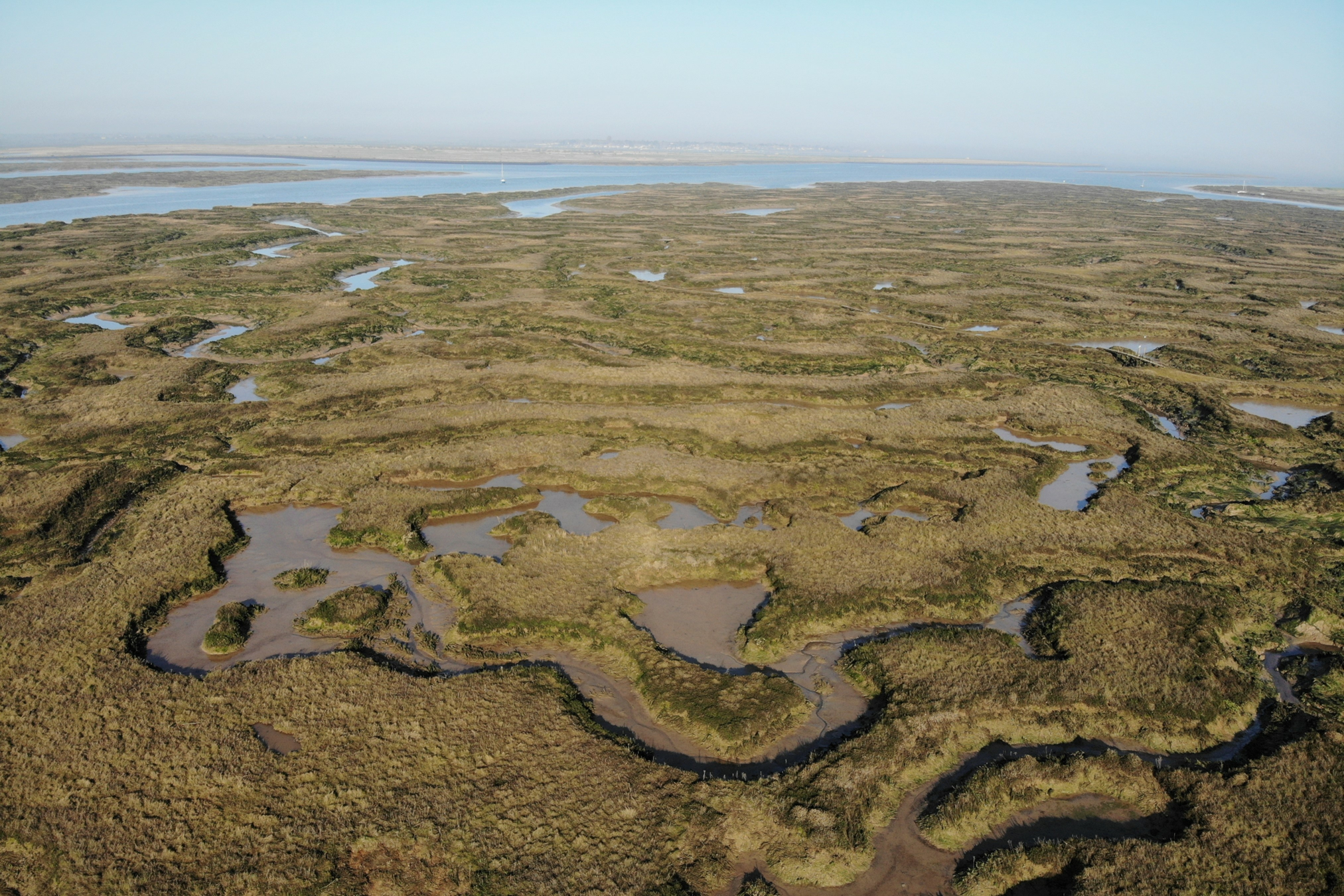
Salt marshes at Tollesbury, on the river Blackwater in Essex, an area I also know well. Note the incredibly circuitous channels of water cutting through the marsh.

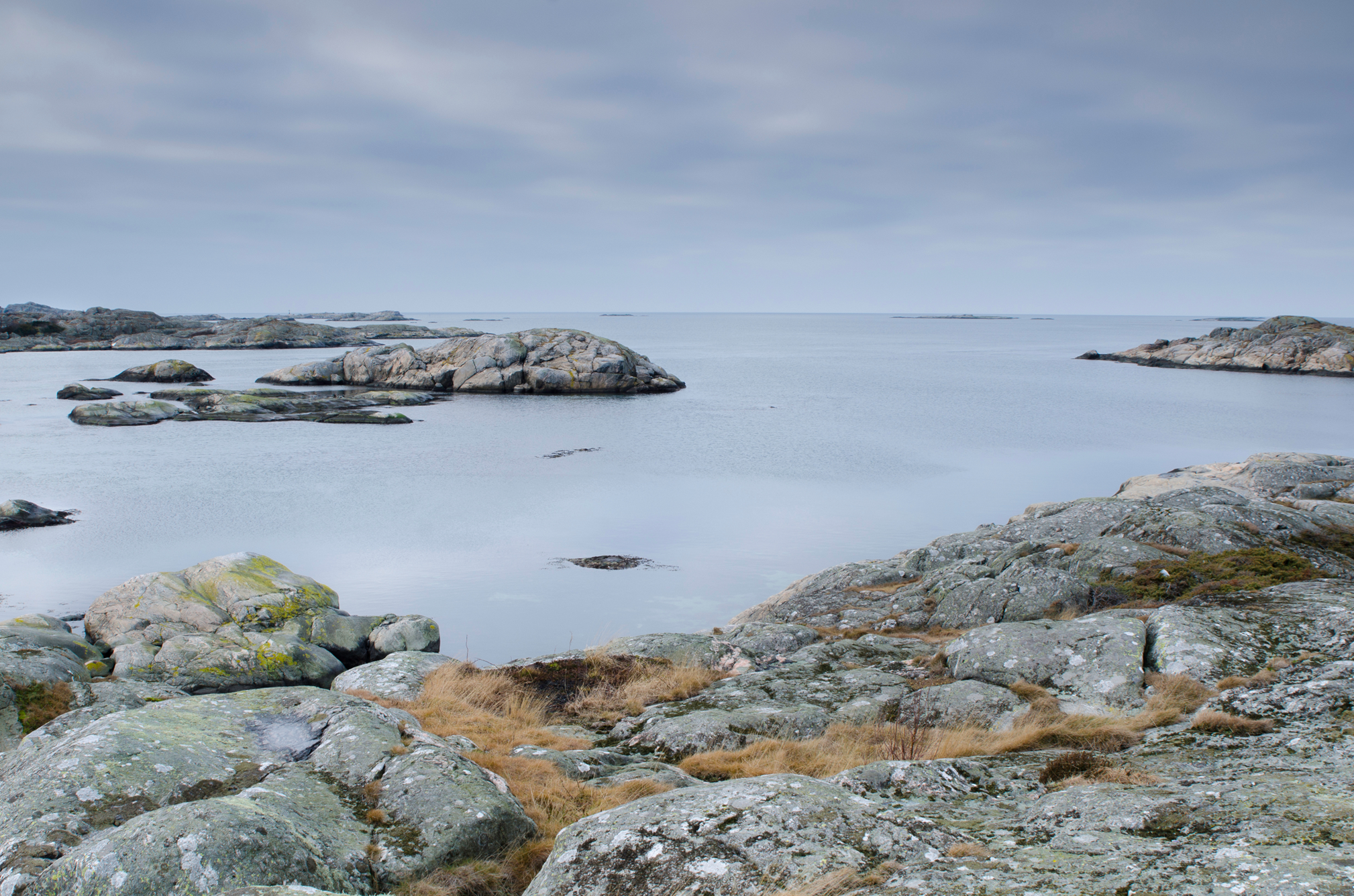
Low lying rocky islands, part of an archipeligo along the West coast of Sweden. Note the predominantly grey colour palette of this scene.

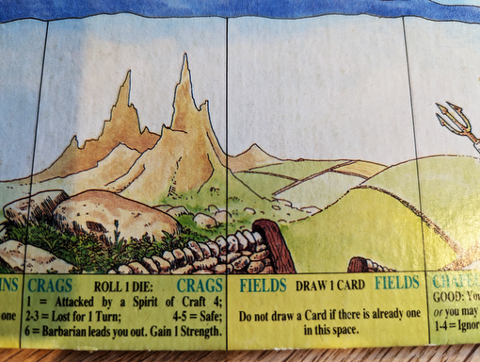
I’m also inspired by hand-painted representations of landscapes and terrain. The Talisman board game has rather endearing representations of landscapes such as the fields and crags spaces shown here. I’ve been playing this game off and on for many years so perhaps the appeal is based on nostalgia 😉

In TD it’s easy to create a simple landscape by rendering the Noise TOP in 3D (more on how to do this below). Note the characteristics of the Noise TOP as shown in the parameters dialogue on the right.

Here’s another Noise TOP with different characteristics.

By combining these TOPs using a Composite TOP, a more complex landscape can be created. In this case the Multiply blend mode is used, but other blend modes also work and provide differing results.

This is the basic rendering approach, a grid is used to generate points. Noise values are used to control the PBR material.

The classic approach to adding colour based on height is to take an output from the main noise TOP, invert it using a Level TOP and then feed that into a Lookup TOP which also has a Ramp TOP feeding it.

I have taken this a step further by using Threshold TOPs to isolate individual height bands and add a texture such as water or rock to certain parts of the final image sent to the PBR material’s Base Color Map parameter.

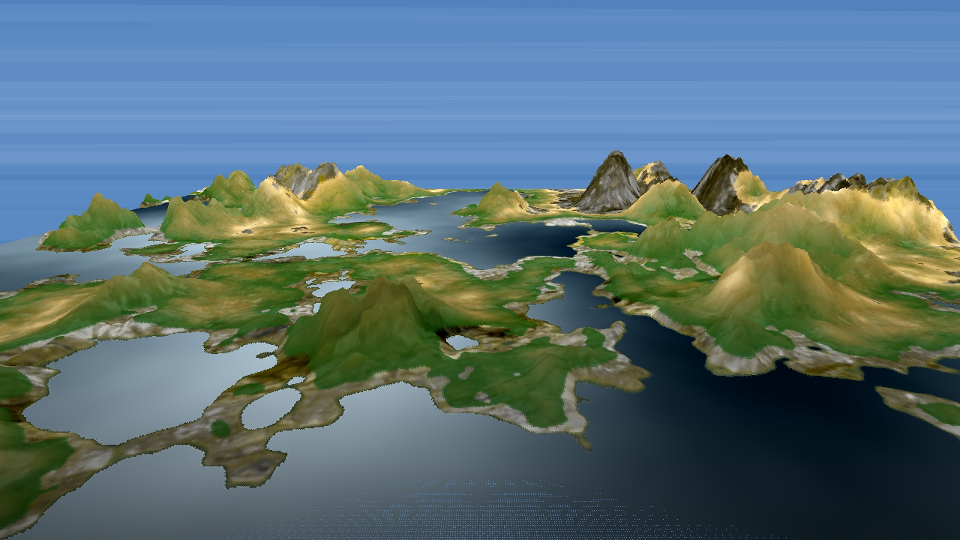
Here’s an example of a landscape using the techniques described above.

GLSL

I have more recently optimised this process using GLSL shaders to replace both the double noise technique and ramp/threshold/texture combination.

If you’re interested in learning how to write a landscape shader for TD, check out Part 1: Procedural Terrain Generation in TouchDesigner by Lake Heckaman.

MIDI

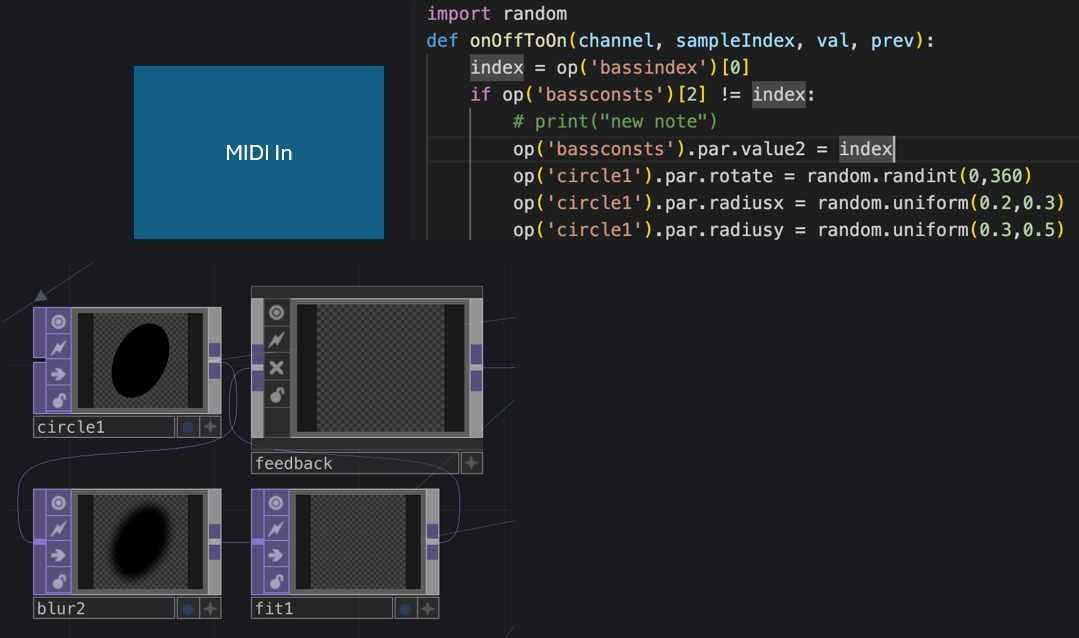
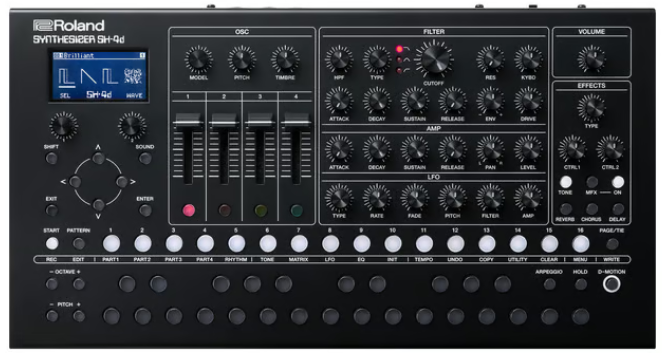
I’m using my trusty Roland Sh4D synthesiser which provides 5 separate channels of audio + the usual MIDI data over USB. This is great as I can use a combination of MIDI note, MIDI controller and channel volume level to affect the terrain. The image below shows how incoming MIDI from one of the bass channels is used to postion a deformed circle over the main noise image. If the circle was black, as shown below, it would cause a pool of water to be added to terrain at the given point. However, I have since changed this to create a hill or elavated area by changing the colour of the circle to white. The lighter the image pixels in the main noise image, the higher the terrain is rendered out as.

Audio

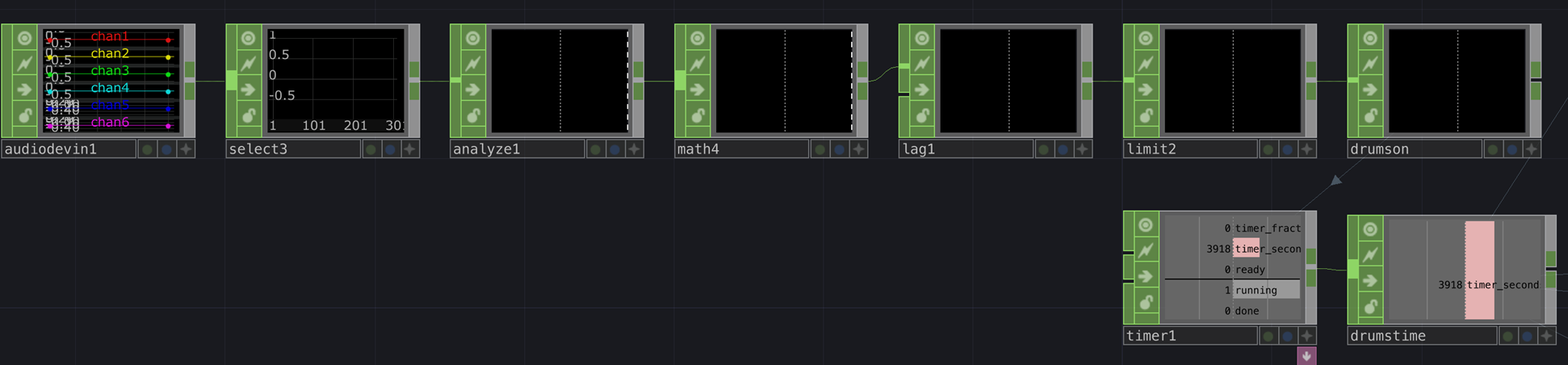
One challenge has been to create a clock that runs only when the drums are playing. I solved this by selecting the drums audio channel, using an Analyze CHOP to monitor the RMS level of the drums, which is always positive, attenuating the signal with a Math CHOP (multiplying it in this case), adding a Lag CHOP so the signal doesn’t shut off too quickly, and then passing this through a Limit CHOP set to ceiling. The net output is 0 or 1 representing when the drums are playing or not. I then connect this to a Timer CHOP which creates an accumulating value that stops and starts with the drums. I use this to drive all of the scrolling animations.

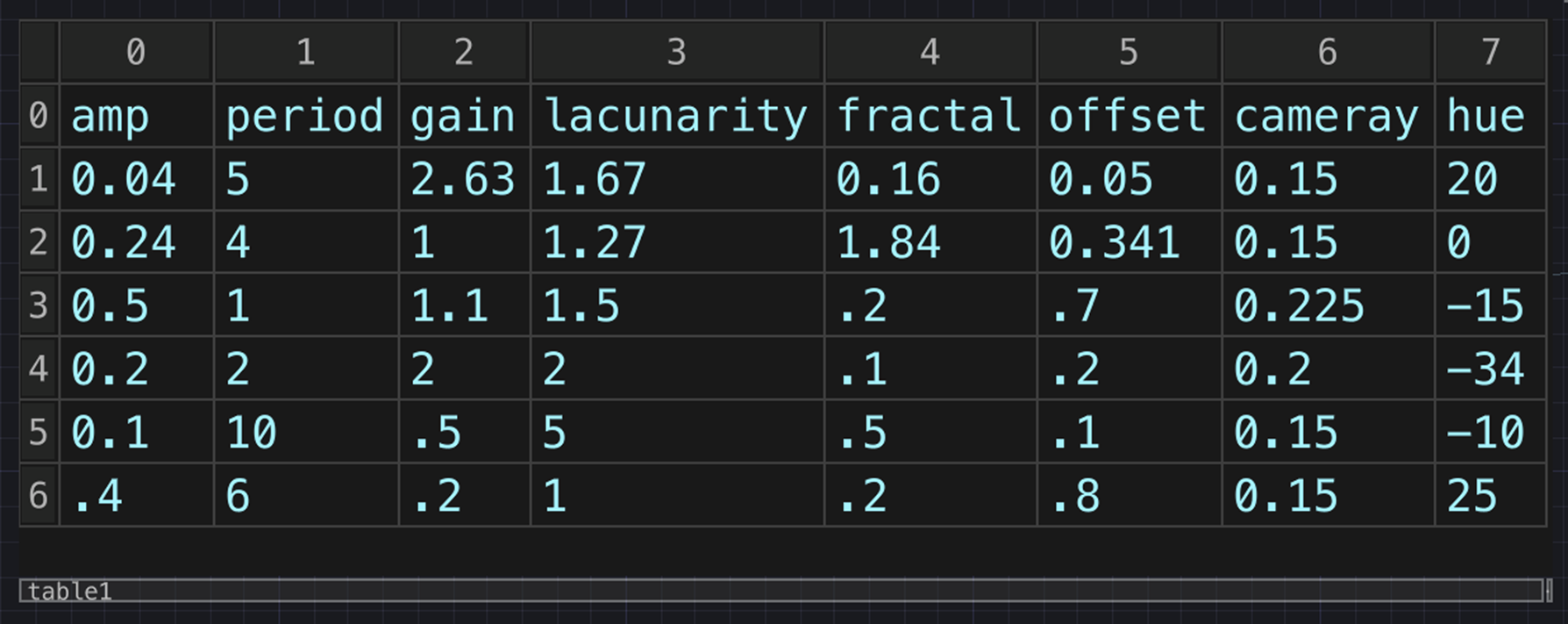
Next up, rather than tweaking every parameter in realtime and sometimes hitting on a good combination and sometimes not, I created a table that stores the values of a number of presets. This is super useful as I store all of the primary noise parameters that define each terrain preset + additional information such as camera y position, which changes slightly according to how high the preset extends. I also use the current index to control the choice of colour Ramp TOP and texture set-up per preset.

Finally, I had been testing the presets using number keys, but I decided to make the preset change at random every so many bars. This is achieved by simply having a drum note that doesn’t make any sound at the beginning of a bar. Although the drum is silent, it still sends a MIDI signal which is used to trigger the preset change.

There are various other embellishments I have made and many more I would like to make, but I feel that I need to draw a line under the project, at least for now. Here’s a video excerpt of the performable landscape in action.

Performable Landscapes 2024

Of late I have been working with TouchDesigner (TD) to visualise landscapes that respond in realtime to incoming MIDI data, with a view to creating performable work.

There are some great examples of audio-responsive terrain being rendered in realtime such as Audio Landscape by Dan Neame, which use audio frequencies to manipulate terrain using the 3D JavaScript library three.js.

TouchDesigner, a node-based visual programming language for real-time interactive multimedia content, is somewhat of a goto in respect to creating audio responsive graphics e.g. the famous Joy Division album cover simulation created by Aurelian Ionus.

My first attempt using TD to create a MIDI-responsive landscape builds upon the Outrun / Landscapes tutorial by Bileam Tschepe (elekktronaut). Sound and MIDI data are provided by a Roland SH-4D hardware synthesiser.

Realtime Sound Landscape #1

Since then, I have implemented a handful of key rendering improvements, not least GPU instancing as demonstrated by supermarketsallad in his TD tutorial Generative Landscapes.

My second attempt also incorporates better texture mapping and contour smoothing. This version use the TDAbleton package to route musical and audio level data directly from digital audio workstation Ableton Live to TD, both running on the same machine.

Realtime Sound Landscape #2

This is work in progress, so I will follow up with more detail and explanation in due course.

Realtime AV using Processing and Tooll3

I thought I better post the outcome of a recent experiment using Processing and Tooll3 together to transform incoming MIDI notes and controller information into realtime visual output.

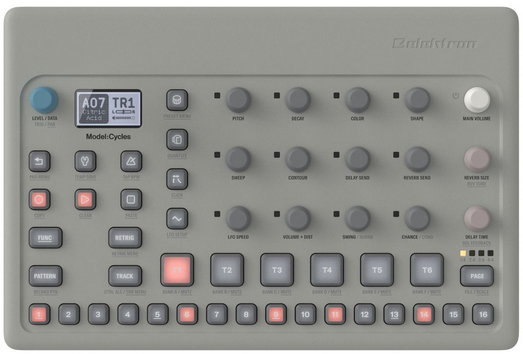
The MIDI and sounds are generated by hardware synths – Roland SH-4D and Elektron Model Cycles.

Roland SH-4D
Elektron Model Cycles

Processing is used to create and manipulate animated geometric shapes that correspond to notes produced by individual synth tracks, building on previous work undertaken in p5.js. After significant stress testing, it turned out that Java-based Processing is slightly better suited to this purpose than JavaScript-based p5.js, e.g., in relation to response time and overall stability.

Processing forwards the live image using the Spout library to Tooll3, a free VJ platform, which is used to add effects. Tooll3 has amazing visual capabilities although it suffers from a somewhat limited MIDI implementation and is currently PC-only.

Check the results out below.

If you’re interested in more detail, read on.

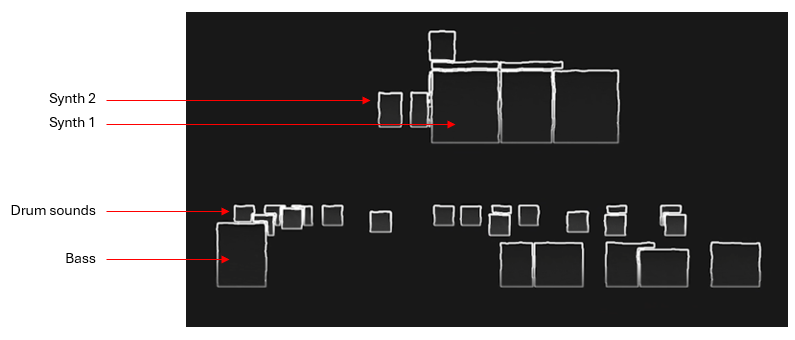
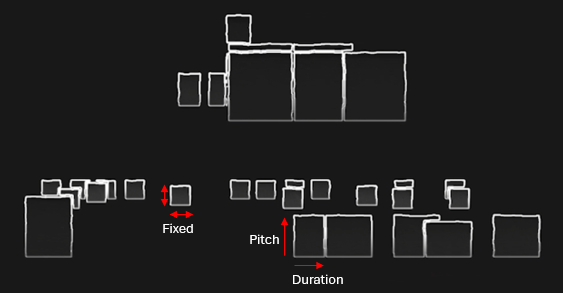
Processing is used to create block shapes for each MIDI note. Each instrument is assigned to a unique MIDI channel and this distinction is used to create a separate line of shapes for each instrument.

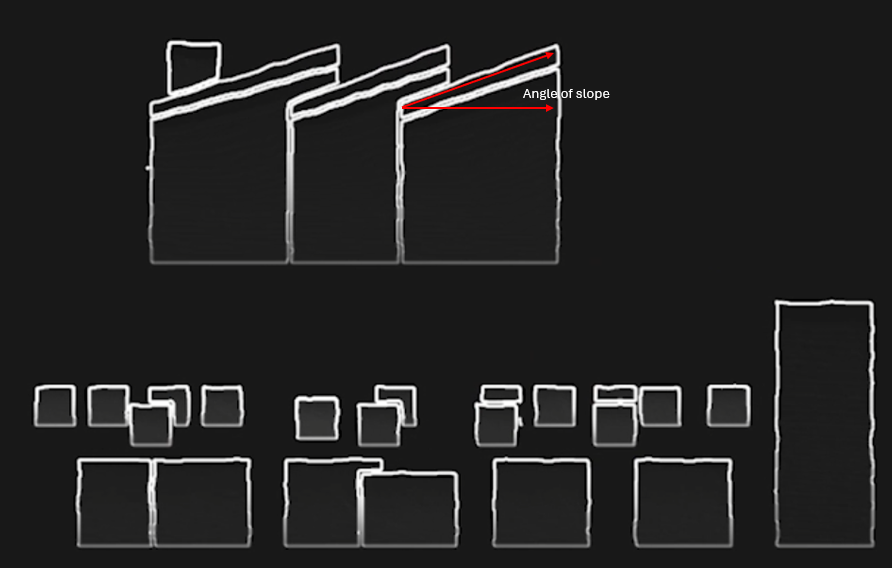
Drum shapes (kick drum, snare etc.) have fixed dimensions, all other shapes are influenced by MIDI note duration and pitch.

The slope of a note shape is controlled by MIDI controller information, for Synth 1 this relates to the frequency cutoff of the sound.

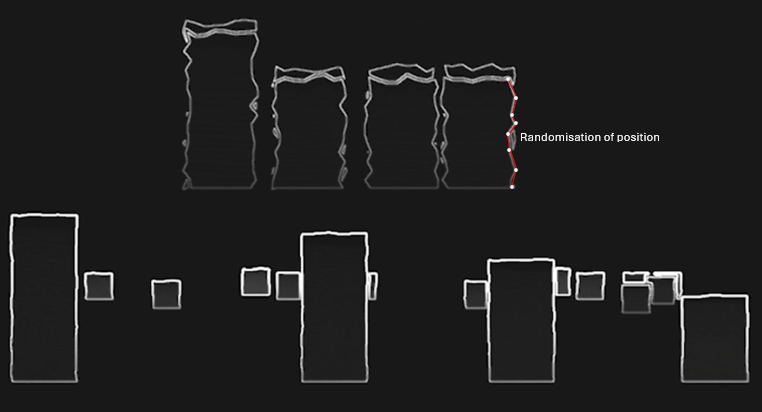
Each note shape has many additional vertices along each side which can be displaced using random values to create a wobbling effect. In this case, Synth 1 shapes wobble in response to MIDI pitch modulation data – e.g., the classic 80’s synth pitch modulation.

Processing is also used to colour the shapes, this is triggered either manually using a MIDI controller or via non-rendering MIDI information. Essentially, I used one of the Elektron sequencer channels to control visual changes matching the current phrase. The MIDI data from this channel did not itself produce shapes.

All the shapes are drawn in 2D with a scale factor derived from notional z axis values using the following simple perspective calculation where fl = represents focal length.

scale = fl / (fl + z)

I had considered that I might change perspective values on the fly but in the end didn’t pursue this.

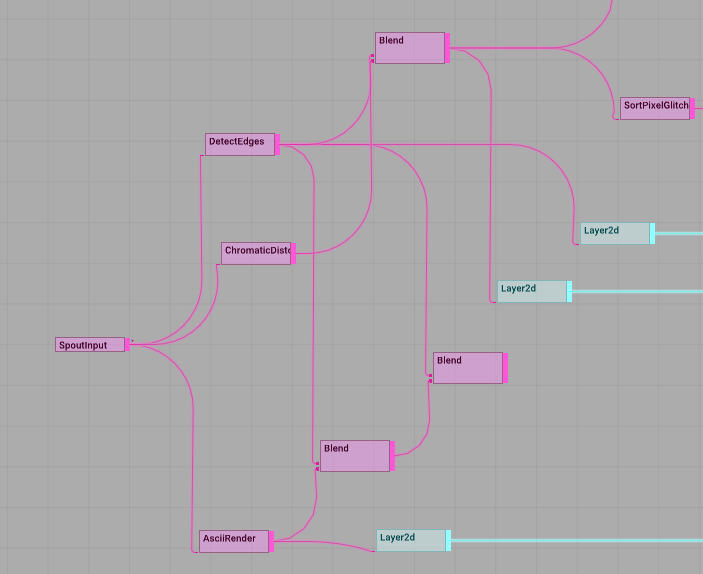
Processing is great for handling MIDI and drawing shapes but not so good for post-processing which is where an application like Tooll3 comes in handy. It was straightforward enough to pipe the fullscreen Processing image through to Tooll3 using Spout and then apply various image filters as shown below.

Tooll3 applying image effects to the Spout input provided by Processing.

The MIDI visual control track was used to trigger and switch between these various effects. I didn’t get on very well with the MIDI implementation offered by Tooll3 but it is possible this has since improved.

This was a fun project to work on and Tooll3 is quite inspiring, although it doesn’t have anywhere near the level of community support that TouchDesigner does. I’m planning to investigate the latter more thoroughly as a realtime AV platform some time soon.